

Discover the World of HP
Technology can be inspiring and make everyday life easier. HP develops innovative products that support you in your daily life, at work, or in your next gaming session. Find the solution here that perfectly suits you – even if you don't know exactly what you're looking for today.
HP: Well-thought-out solutions for every situation
HP has been with us for decades and, for many people, stands for reliable technology. The range extends from laptops and desktops that support us in the study or on the go, to printers that bring memories to paper, to monitors for crystal-clear images and practical accessories. Behind this is a comprehensive system of products designed to help you be more productive, get creative, learn, or simply have fun.
This website is your friendly guide through the HP product landscape. Discover the advantages of the various product lines and find out what really matters when making a choice. Perhaps you'll find exactly the inspiration or solution here for a need you weren't even aware of before.
Why choose HP? Your core advantages at a glance
Innovative Ideas
HP continuously invests in research and development to always offer you the latest technologies (e.g., AI integration in software and hardware). So you don't get an off-the-shelf product, but current tech highlights.
Reliable Quality
You can rely on HP. The devices undergo comprehensive tests and quality controls and are known for being robustly built to function reliably even in hectic everyday life or demanding professional environments.
Appealing Design & Handling
Technology should be enjoyable. HP values a modern, appealing design that fits well into your home or office. At the same time, intuitive and pleasant operation is a top priority.
Sustainability in Focus
HP takes its responsibility seriously and is committed to more environmentally friendly solutions, whether through the increased use of recycled materials or established recycling programs like HP Planet Partners.
The HP Product Worlds at a Glance
A first glimpse into the diversity of HP – discover more in the detail sections further down.

Laptops & Notebooks
Flexible, powerful, and for every lifestyle – from chic convertibles to gaming powerhouses.

Desktops
Computing power for your desk – as a flexible and upgradeable tower PC for performance-intensive applications.
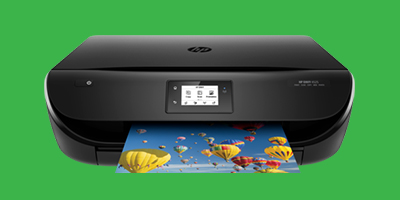
Printers & Scanners
Capture memories, create documents – in brilliant quality. As laser, inkjet, or multifunction devices.
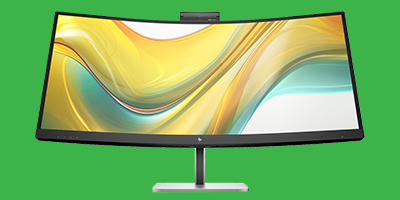
Monitors
Crystal-clear images and ergonomic design for a better viewing and working experience.
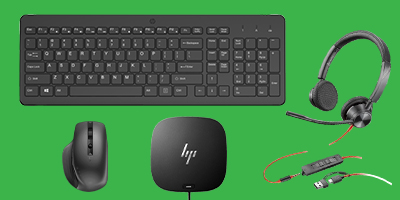
Accessories & Peripherals
The perfect extra for your HP device – from mouse to docking station.
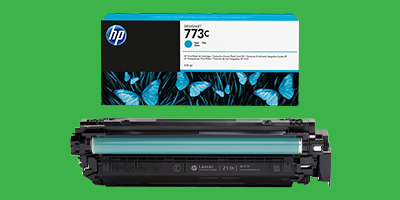
Ink, Toner & Paper
Original HP consumables for consistently high print quality and device protection.
HP Product Worlds in Detail
HP Laptops & Notebooks: Your companion for on the go and at home
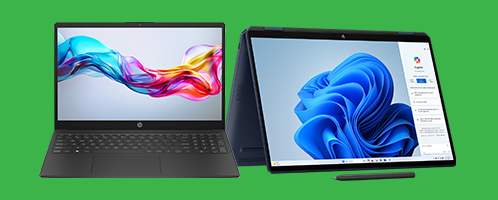
The laptop has become a central digital tool – flexibly usable between the desk, sofa, and the café around the corner. Which laptop suits you best depends entirely on what you plan to do with it. Is it important to you that it's feather-light and the battery lasts all day because you're on the go a lot? Or do you need concentrated power for demanding programs and creative projects? Don't worry, HP has a suitable laptop series for every wish.
HP Laptop Series at a Glance: The Right One for Every Need
HP Spectre
Represents the absolute premium class in the consumer sector. Spectre laptops stand for exquisite design with high-quality materials like aluminum, the latest features such as high-contrast OLED displays, and the strongest computing power that masters even demanding creative tasks. This makes the series ideal for users who don't want to compromise on style, mobility, and performance.
HP Envy
Also positioned in the premium segment, Envy laptops offer an excellent balance of stylish design, strong performance, and a focus on multimedia. They are perfect for creative minds who value brilliant displays, good sound, and enough power for photo or video editing.
HP Pavilion
The versatile all-rounders for everyday life, family, and study. Pavilion laptops offer solid performance for office, surfing, and streaming at an attractive price. They are available in many sizes and configurations, making them a flexible and popular choice for budget-conscious users.
OMEN by HP
The spearhead for ambitious gamers. OMEN laptops are designed for maximum gaming performance: strongest processors and graphics cards, extremely fast displays with low response times and high refresh rates, advanced cooling systems, and a distinctive design with RGB options. Anyone who doesn't want to compromise on mobile gaming will find what they're looking for here.
Victus by HP
Represents the entry into the world of HP gaming. Victus laptops offer strong gaming performance for current titles at a more accessible price than the OMEN series. They are a solid choice for budget-conscious gamers who don't want to miss out on important gaming features.
HP EliteBook
The premium line for business professionals. EliteBooks combine elegant and robust design with comprehensive security features (HP Wolf Security), long battery life, stable keyboards, and features for seamless collaboration. This makes them ideal for mobile professionals and companies with high demands.
HP ProBook
Are the solid and reliable workhorses for everyday business and small to medium-sized enterprises. ProBooks offer all essential business functions, a solid security standard, and robustness at an attractive price-performance ratio.
HP ZBook
Can also be described as mobile workstations for the highest performance demands. ZBooks are designed for professional applications in areas such as CAD, 3D design, video production, and data analysis. They offer certified performance (ISV), professional graphics cards, and maximum reliability for critical projects.
What matters when choosing an HP Laptop?
- Performance profile (CPU, GPU, RAM): The heart of your laptop. For everyday tasks like surfing, email, and office programs, Intel Core i3/i5 or AMD Ryzen 3/5 processors with integrated graphics and 8 GB of RAM are often sufficient. However, if you frequently use many programs simultaneously, edit photos, or occasionally want to play games, 16 GB of RAM and a Core i5/Ryzen 5 or Core i7/Ryzen 7 are recommended. For demanding creative software or current games, you need a dedicated graphics card from NVIDIA or AMD and often 16 GB or even 32 GB of RAM.
- Display Quality: Besides the desired size, the resolution is particularly important: Full HD (1920x1080) is standard today, but QHD or 4K offer a visibly more detailed image, which is advantageous for larger displays or graphics work. The panel type also influences colors and viewing angles: IPS panels usually offer the best color accuracy and wide viewing angles. OLED displays score with perfect black levels and extremely vivid colors. Also pay attention to brightness. At least 300 nits for indoor use should be aimed for. In direct sunlight, at least 1000 nits are needed to ensure solid visibility.
- Mobility vs. Screen Size: Here you often have to find a compromise. A large 16- or 17-inch display is comfortable for working, but makes the laptop heavier and bulkier. Compact 13- or 14-inch models are significantly lighter (often under 1.5 kg) and fit better in a bag, but offer less screen space. Consider how often you will actually transport the laptop and how important low weight and small dimensions are to you. HP offers different sizes in almost every series.
- Battery Life: Especially important if you need to work for long periods without a power source. Capacity is often given in watt-hours (Wh) – more Wh generally means longer runtime, but the power consumption of the components also plays a big role. Business laptops (EliteBook) are often optimized for maximum runtime.
- Storage (SSD): An SSD (Solid State Drive) is an absolute must in every laptop today! It ensures extremely fast system and program starts and a generally smooth feel. Avoid models that only have a slow HDD. The only question is: How much storage space do you need? 512 GB is a good compromise for most users. If you store many programs, large files (photos, videos), or games, 1 TB or more is advisable. Pay attention to the type: NVMe SSDs are significantly faster than SATA SSDs.
- Ports: Take a close look at the available ports! Are there enough classic USB-A ports for your existing peripherals (mouse, USB stick, etc.)? How many modern USB-C ports are there? Do these USB-C ports also support connecting external monitors? Thunderbolt™ is particularly powerful: It offers the highest data rate and often allows connecting multiple monitors and external high-speed devices via a single cable (often found on Spectre, Envy, EliteBook, ZBook). Check if you might need adapters or a docking station.
- Security Features (Business): If you process sensitive data, the advanced security features of HP business laptops (EliteBook, ProBook, ZBook) are relevant. These often include a fingerprint sensor or an IR camera for Windows Hello, a TPM chip (Trusted Platform Module) for hardware encryption, and the HP Wolf Security Suite, which offers protection at the BIOS level, against malware, and phishing. Some models also have an integrated privacy screen filter (HP Sure View).
HP Desktops: Maximum Performance and Flexibility at Your Desk
If you need the highest performance, value easy upgradeability, or simply don't need a mobile computer, an HP Desktop PC in the classic tower format is often the best choice. They generally offer more performance for the money and can be kept up-to-date for years by replacing components. HP also covers the entire spectrum here: from family PCs and creative machines to potent gaming systems and professional workstations.
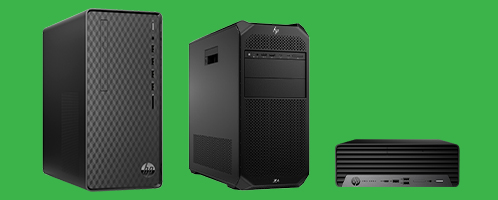
HP Desktop Tower Series at a Glance:
HP Pavilion Desktops
The versatile entry into HP's desktop world. Pavilion PCs are excellent as family computers, for the home office, and everyday multimedia applications. They offer solid basic equipment and good value for money in a mostly compact and attractive case.
HP Envy Desktops
These towers are usually more elegantly designed and offer more performance reserves than the Pavilion series. With stronger processors and often dedicated graphics cards, they are well-suited for demanding multitasking, hobby creative work (photo/video editing), and smooth entertainment.
OMEN Gaming Desktops
Were developed for maximum gaming performance. OMEN towers are equipped with the fastest available CPUs and high-end graphics cards to display even the latest games in high resolutions and frame rates. A well-thought-out cooling concept ensures stable performance under load, while the tool-less case design facilitates upgrades.
HP ProDesk / EliteDesk
Are the reliable and secure workhorses for your business use. They are designed for longevity, stability, and manageability and offer comprehensive security features from HP Wolf Security. They are available in various sizes to fit into any office environment.
HP Z Workstations
Is the ultimate performance level for professional users. Z Workstations in tower format offer maximum computing and graphics power for complex simulations, 3D design and rendering, scientific calculations, or high-end video production. They are ISV-certified for professional software, offer maximum reliability, and excellent expandability.
What to look for when choosing your HP Desktop:
- Main Application & Performance (CPU/GPU/RAM): The be-all and end-all is what you need the PC for. For office and internet, basic processors (Core i3/Ryzen 3) and 8GB RAM are often sufficient. For smooth multitasking, image editing, or current games, it should be at least a Core i5/Ryzen 5, 16GB RAM, and a dedicated mid-range graphics card. Creative professionals and high-end gamers need top CPUs (Core i7/i9, Ryzen 7/9), 32GB+ RAM, and powerful GPUs from NVIDIA or AMD.
- Storage: Storage space determines how many programs and files you can store directly on the PC. However, the type of storage is crucial for speed! An SSD (Solid State Drive), ideally a fast NVMe SSD, is indispensable as a drive for Windows and your most important programs. It ensures a rapid system start and short loading times. 512 GB is a good base. If you need a lot of space for photos, videos, or games, 1 TB or more is advisable. In tower PCs, you can often use a large, inexpensive HDD (Hard Disk Drive) additionally for pure data archiving, but an SSD is still preferable.
- Ports: A look at the back and front is worthwhile. Are there enough USB ports for all your devices (mouse, keyboard, printer, external hard drives, webcam, headset, charging cables...)? Is there a good mix of classic USB-A and modern USB-C ports? Which video outputs (HDMI, DisplayPort) are available and do they match your monitor? An Ethernet (LAN) port for a stable cable connection to the router should also be standard.
- Expandability & Future-proofing: Do you want to upgrade the PC later? Check if the case offers free space and if the motherboard has free slots: for more RAM (RAM slots), a better graphics card (PCIe x16 slot), additional storage drives (SATA ports, M.2 slots). It's also important whether the power supply unit has enough power (watts) and the appropriate connections for future, possibly more power-hungry components. OMEN and Z Workstation cases are often particularly accessible and expandable here.
- Size & Design: Does the PC fit visually and physically in its place? HP offers various case sizes, from compact Small Form Factor (SFF) to classic Mid-Tower. Ensure adequate ventilation, especially for high-performance models. The design ranges from simple-elegant to eye-catching gaming looks.
HP Printers: From Documents to Photo Paper – Always the Best Result
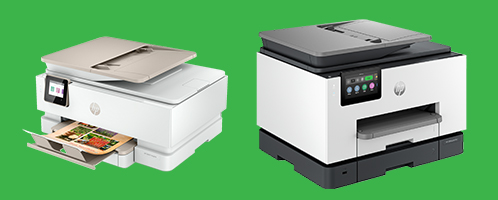
Whether you're printing important documents for work, bringing creative projects to photo paper, or just occasionally need to print something – HP has the right printer. The only question is: inkjet or laser? Color or black and white? And do you perhaps also need scan and copy functions? Decisive for the choice are your print volume, the type of prints, and your budget – not just for the purchase, but also for the running costs (ink or toner).
HP Printer Technologies & Series in Detail:
HP Inkjet Printers: The Color All-rounders
Ideal for households and offices that regularly want to print color documents, graphics, or photos in high quality. They use liquid ink (either dye-based for brilliant colors or pigmented for longevity and smudge resistance).
- HP DeskJet: Is the affordable choice for basic printing, scanning, and copying tasks in the private sphere. Perfect for all occasional printers without major special requests.
- HP Envy: These printers offer an extended range of functions for the modern home. They offer features such as double-sided or borderless printing, touch operation, or sometimes even a document feeder.
- HP OfficeJet / OfficeJet Pro: Are more powerful and faster than consumer models, designed for productive work. They usually offer functions like duplex printing, automatic document feeder (ADF), and larger paper capacities. Pigmented ink is often used, which stands for professional document quality.
- HP Smart Tank: The economical revolution in the inkjet sector. Thanks to large, refillable ink tanks, these printers offer extremely low printing costs per page without compromising on color quality. Perfect for everyone who prints a lot (also in color) and wants to save costs.
HP LaserJet Printers: The Efficiency Champions
If you mainly print black and white documents, need high speeds, and value permanently smudge-proof prints, laser printers are the right choice. They work with toner powder that is melted onto the paper.
- HP LaserJet Pro (Mono/Color): The proven workhorses for offices and workgroups. Monochrome models are extremely economical for high text volumes. Color lasers offer good quality for business graphics. The devices are available as pure printers as well as multifunction devices. Whichever variant you choose, LaserJet Pro devices are known for their particular reliability and high speed.
- HP LaserJet Enterprise: These are scalable solutions for companies with the highest demands on security, central administration, speed, and print volume.
HP DesignJet Printers: When Size Matters
For architects, engineers, graphic designers, and everyone who needs plans, posters, or graphics in large format (A1, A0+), HP offers the specialized DesignJet plotters.
What should you look for when choosing your HP printer?
- Print Technology & Color: Do you regularly need brilliant color prints or even photos? Then an inkjet printer (DeskJet, Envy, OfficeJet, Smart Tank) is the right choice. Do you, on the other hand, print almost exclusively text documents in black and white, value high speed and permanently smudge-proof prints? Then a monochrome laser printer (LaserJet Pro Mono) is often the most efficient and, in the long run, cheapest solution. Color laser printers are a compromise for business graphics but rarely achieve the photo quality of inkjet printers.
- Multifunction Printer (MFP?): Is pure printing enough for you, or should scan and copy functions also be integrated? A multifunction device (MFP or All-in-One) saves space and is particularly practical in the home office or small offices. Consider whether you need these additional functions regularly. A rarely used fax function is usually dispensable today.
- Print Volume & Speed: Realistically estimate how many pages you print per month. HP often specifies a recommended monthly print volume – a device for 500 pages will quickly reach its limits at 3000 pages. The print speed, measured in IPM (Images Per Minute, according to ISO standard), is relevant if you frequently print multi-page documents and don't want to wait long. Lasers are usually faster for text than inkjet printers in the same price range.
- Running Costs (Ink/Toner): Don't underestimate this point! The cost per printed page can far exceed the purchase price over the life of the printer. HP Smart Tank printers often score here due to very low ink costs, and monochrome laser printers thanks to high toner yield.
- Connectivity: How do you want to connect the printer to your devices? WLAN is almost standard today and allows convenient printing from PCs, laptops, and mobile devices in the home network. An Ethernet port (LAN) offers the most stable connection in the office network. A USB port is used for direct connection to a computer.
- Paper Handling: Automatic double-sided printing (duplex printing) saves paper and manual turning. An automatic document feeder (ADF) significantly facilitates scanning or copying multi-page documents. How many sheets fit in the paper tray? Is that enough for your needs, or do you have to constantly refill? Does the printer support the paper formats and types you need (e.g., photo paper, envelopes, thicker paper)?
HP Monitors: See More, Work Better, Experience More Intensely
A good monitor is crucial for productive work or an immersive entertainment experience. HP offers the right screen for every purpose, from ergonomic office displays to color-calibrated professional monitors and ultra-fast gaming screens. Pay attention to a suitable combination of size, resolution, panel technology, and features that match your viewing habits and tasks.
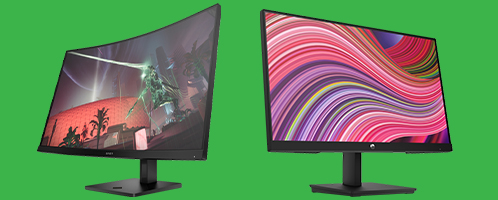
HP Monitor Series in Detail: Find Your Favorite
HP Series 5 Monitors
Are ideal for private use and the home office. The Series 5 monitors offer a balanced package of good image quality, attractive design, and eye-care features like Flicker-Free or blue light filters. Depending on the model, webcams and more powerful speakers may also be built in.
HP P-Series Monitors
The classic business monitors for everyday office use. The P-Series stands for reliable performance, solid image quality, and a wealth of ergonomic adjustment options for comfortable work over many hours. This makes them a proven choice for standard office applications.
HP E-Series Monitors
Perfect for modern workplaces with many online meetings and conferences. E-Series monitors usually combine their strong image quality with features like high-quality webcams, microphones, and large speakers directly in the screen. Docking features may also be present depending on the model. This makes you optimally equipped for virtual collaboration and saves space on your desk.
HP EliteDisplay Monitors
The premium line for demanding business users. EliteDisplays combine elegant design with top image quality, comprehensive connectivity (often with powerful USB-C docking function), and integrated collaboration and security features for the highest demands in a professional environment.
HP Series 7 Pro Monitors
Developed for professional users who have high demands on image quality and performance but may not need the full color calibration depth of the Z-Series. They offer high resolutions, good color reproduction, and solid performance for demanding business and creative tasks.
HP Z Displays
The first choice for creative professionals. When maximum color accuracy, wide color gamut coverage (Adobe RGB / DCI-P3), and precise details are important (e.g., for photo/video editing, design, CAD), Z Displays deliver the necessary performance and often also hardware calibration options.
OMEN
These were developed for ambitious gamers. OMEN monitors stand for maximum speed with ultra-high refresh rates (up to 240Hz and more), minimal response times, and technologies like Adaptive Sync for an absolutely smooth and responsive gaming experience without tearing.
HyperX Monitors
Also aimed at gaming, HyperX monitors (HP's gaming brand) often offer excellent value for money. They combine high refresh rates and fast response times with solid image quality for a great gaming experience.
What should you look for when choosing your HP Monitor?
- Size & Resolution: Consider how much space you have and what level of detail you need. For 24 inches, Full HD (1920x1080) is often sufficient. At 27 inches, QHD (2560x1440) is recommended for a significantly sharper image and more workspace. 4K (3840x2160) offers maximum detail on 27 inches or larger, ideal for creative work or high-resolution gaming, but also requires a powerful PC.
- Panel Technology: The panel type significantly determines the image quality. IPS panels offer the best combination of accurate colors and wide viewing angles, making them the top choice for most applications, especially image editing. VA panels impress with much higher contrast and deeper black levels, ideal for movies and games in dark environments. TN panels are primarily designed for maximum speed in games but have disadvantages in colors and viewing angles.
- Refresh Rate (Hz) & Response Time (ms): If you mainly work or watch videos, 60Hz or 75Hz is sufficient. For gamers, a high refresh rate of 144Hz or more is crucial for a smooth, responsive display without motion blur. The response time should also be correspondingly low (under 5ms) to avoid ghosting.
- Color Quality & HDR: For creative professionals, high coverage of professional color spaces like Adobe RGB or DCI-P3 and high factory color accuracy (Delta E < 2) are crucial. HDR (High Dynamic Range) can, in turn, enhance the viewing experience in games and movies through higher contrasts and more brilliant colors. However, this requires sufficient peak brightness and color depth of the monitor. Pay attention to DisplayHDR certifications.
- Ergonomics: Do you spend a lot of time in front of the screen? Then an ergonomic stand is essential! Height adjustment is most important to bring the monitor to eye level. Tiltability helps against glare. Swivel and pivot functions (portrait mode) increase flexibility.
- Ports: Which devices do you want to connect? HDMI and DisplayPort are standard. Pay attention to current versions (e.g., HDMI 2.1, DP 1.4) if you want to use high resolutions and refresh rates. An integrated USB hub for mouse, keyboard, etc., is also very convenient.
HP Accessories & Peripherals: The Perfect Additions to Your Setup

Often it's the little things that make a big difference. With the right accessories from HP, you can optimize your setup, improve ergonomics, expand connectivity, and protect your devices. HP offers a wide ecosystem of peripherals that work seamlessly with your HP devices but are often universally applicable as well.
Important HP Accessory Categories in Detail:
Input Devices: Mice & Keyboards
HP offers ergonomic mice & keyboards to relieve wrist strain, wireless versions for more freedom, and quiet versions for focused work in the office. Of course, there are also high-performance models. These run under the brand name HyperX. Mechanical keyboards with RGB lighting and mice with high DPI and low weight are commonplace here.
Communication: Webcams & Headsets
Show yourself in the best light. HP webcams range from Full HD to 4K resolution and offer a wealth of smart features to optimize the image. HP headsets ensure crystal-clear communication in meetings or during gaming. With the acquisition of Poly, HP has expanded its portfolio with absolute high-end audio solutions for the business sector – expect excellent noise-canceling and certified compatibility with all important platforms.
Expansion & Transport: Docking Stations
Transform your laptop into a full-fledged desktop workstation with a suitable HP docking station (via USB-C or Thunderbolt™) – with just one cable for monitors, network, peripherals, and power.
Printer Accessories: Ink, Toner & Paper
To ensure your HP printer always delivers the best results and functions smoothly, using Original HP consumables is crucial. These are optimally matched to the respective device and guarantee the best results and reliability. Suitable HP paper completes the printing experience.
What should you look for when choosing HP Accessories?
- Compatibility: Does the accessory fit your existing HP device (laptop model, desktop ports, monitor version, printer series)? Check the system requirements and port specifications carefully. Especially with docking stations, the compatibility of your laptop's USB-C/Thunderbolt port is crucial. Feel free to contact us if you have any questions!
- Purpose: What do you primarily need the accessory for? A gaming mouse has different strengths than an ergonomic office mouse. A business headset has different strengths than a Bluetooth gaming headset. Choose specifically according to your main area of use.
- Connection Type: Do you prefer the flexibility of wireless accessories via Bluetooth or 2.4GHz USB dongle, or the stability of wired devices? With wireless versions, always pay attention to battery life and charging options!
- Specific Features: Do you need specific functions? For keyboards, e.g., mechanical switches, lighting, numeric keypad? For mice, programmable buttons, high DPI? For headsets, noise-canceling? For docking stations, specific video outputs or charging power?
Your Questions, Our Answers: Find Your Perfect HP Solution!
The world of HP is vast, and making a choice can be difficult. If you're not sure which product or combination best suits your needs, our experts are happy to help!
HP


